
49 lines
2.3 KiB
Markdown
49 lines
2.3 KiB
Markdown
# Advanced student management and e-learning system
|
|
My portfolio website -> https://ezop.herokuapp.com
|
|
|
|
I build this student management and e-learning system using django and Bootstrap for the front-end. You can check the video to figur it out how it works in real time
|
|
for the quiz part I refer from this github repo -> https://github.com/tomwalker/django_quiz
|
|
|
|
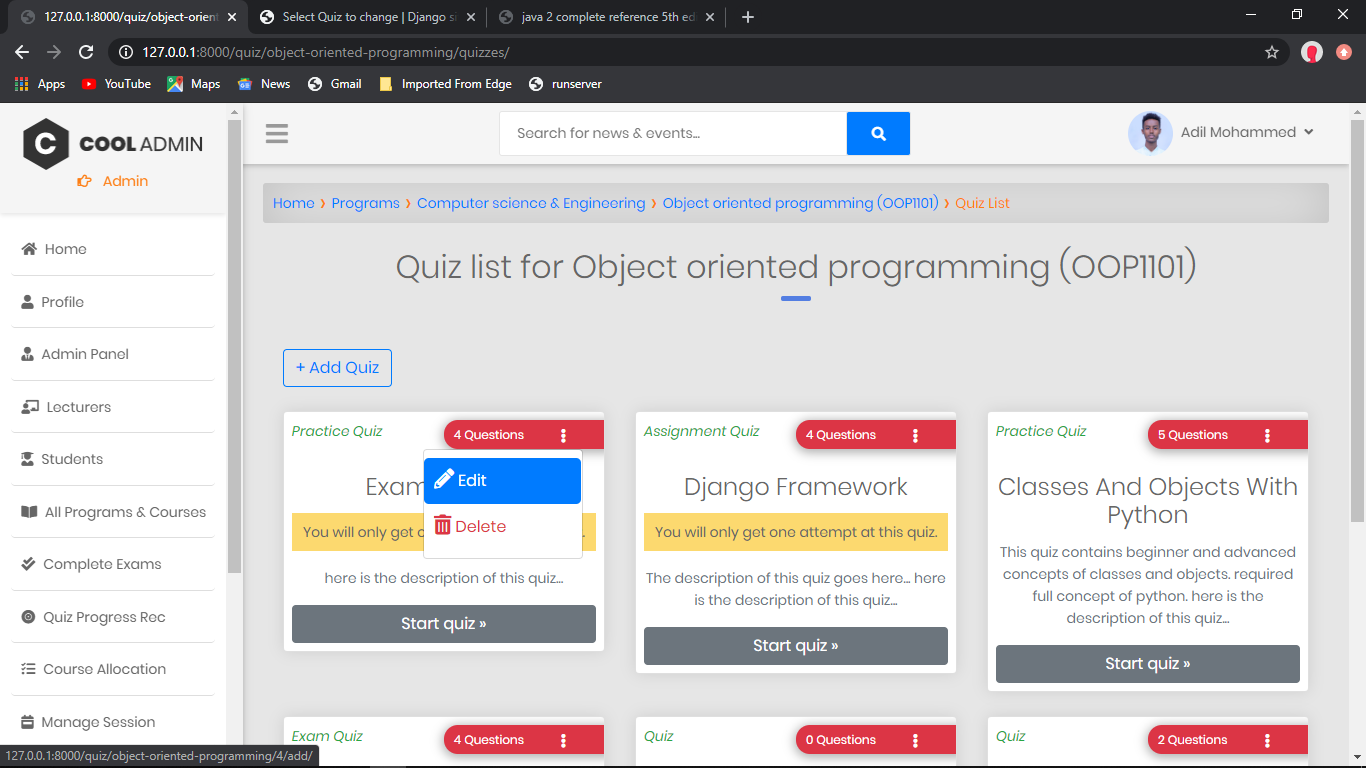
Quizzs
|
|
|
|
|
|
|
|
Current features
|
|
----------------
|
|
* The admin can Add Students
|
|
* The admin can Add Lecturers
|
|
* News And Events
|
|
* Student can Add and Drop courses
|
|
* Lecturers submit students score (Attendance, Mid exam, Final exam, assignment)
|
|
* The system calculates the Total, Avarage, point, and grade of each student then save it
|
|
* Also the system tell the student either he/she pass, fail or pass with warning
|
|
* Assessment result
|
|
* Grade result
|
|
* Documentations
|
|
* Video Tutorial
|
|
* Lecturers can manage his/her own course
|
|
* Storing of quiz results under each user
|
|
* Question order randomisation
|
|
* Previous quiz scores can be viewed on category page
|
|
* Correct answers can be shown after each question or all at once at the end
|
|
* Logged in users can return to an incomplete quiz to finish it and non-logged in users can complete a quiz if their session persists
|
|
* The quiz can be limited to one attempt per user
|
|
* Questions can be given a category
|
|
* Success rate for each category can be monitored on a progress page
|
|
* Explanation for each question result can be given
|
|
* Pass marks can be set
|
|
* Multiple choice question type
|
|
* True/False question type
|
|
* Essay question type
|
|
* Custom message displayed for those that pass or fail a quiz
|
|
* Custom permission (view_sittings) added, allowing users with that permission to view quiz results from users
|
|
* A marking page which lists completed quizzes, can be filtered by quiz or user, and is used to mark essay questions
|
|
|
|
|
|
|
|
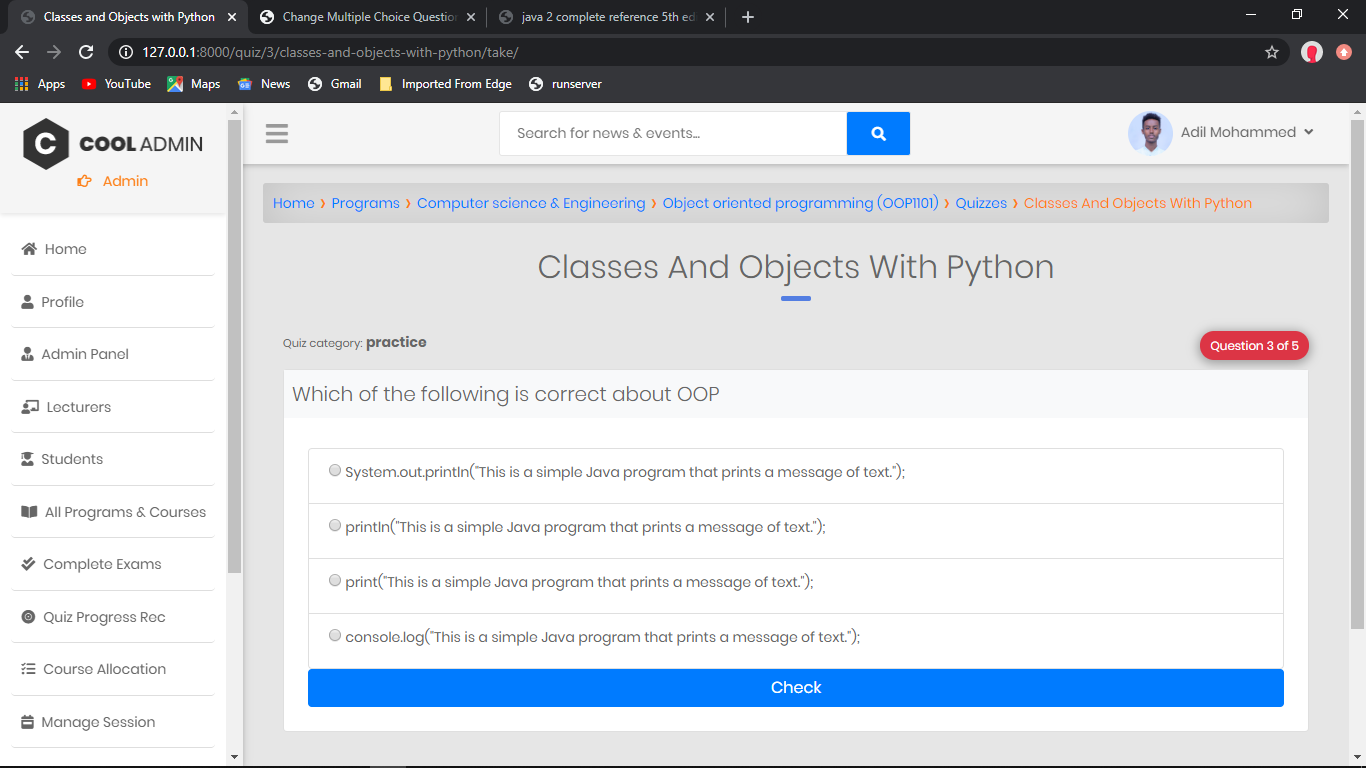
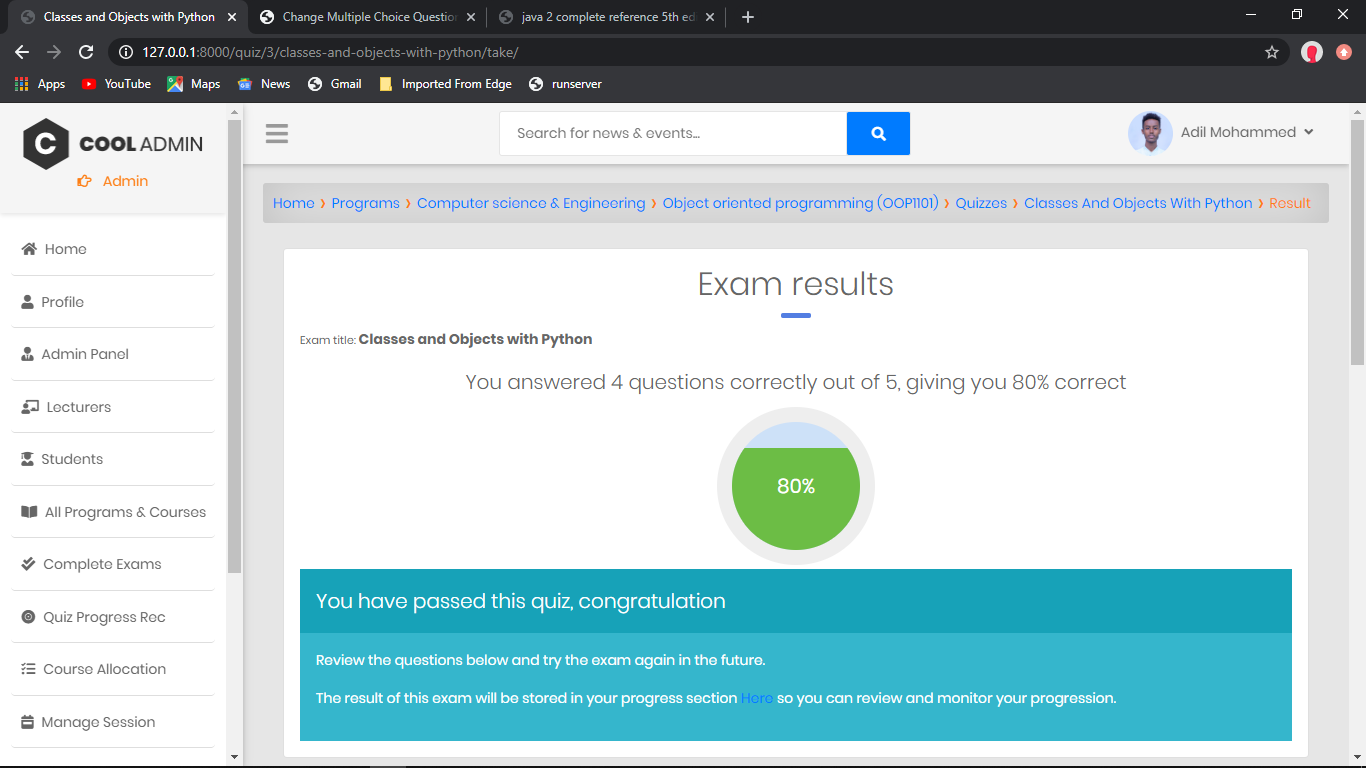
and the following picture is how the final quiz result is shown to the user, it caculates the score and then display.
|
|
|
|
|
|
|
|
# Thank You!!
|